
C++ Training in West Des Moines, Iowa
Learn C++ in West Des Moines, Iowa and surrounding areas via our hands-on, expert led courses. All of our classes either are offered on an onsite, online or public instructor led basis. Here is a list of our current C++ related training offerings in West Des Moines, Iowa: C++ Training
C++ Training Catalog
Course Directory [training on all levels]
- .NET Classes
- Agile/Scrum Classes
- AI Classes
- Ajax Classes
- Android and iPhone Programming Classes
- Azure Classes
- Blaze Advisor Classes
- C Programming Classes
- C# Programming Classes
- C++ Programming Classes
- Cisco Classes
- Cloud Classes
- CompTIA Classes
- Crystal Reports Classes
- Data Classes
- Design Patterns Classes
- DevOps Classes
- Foundations of Web Design & Web Authoring Classes
- Git, Jira, Wicket, Gradle, Tableau Classes
- IBM Classes
- Java Programming Classes
- JBoss Administration Classes
- JUnit, TDD, CPTC, Web Penetration Classes
- Linux Unix Classes
- Machine Learning Classes
- Microsoft Classes
- Microsoft Development Classes
- Microsoft SQL Server Classes
- Microsoft Team Foundation Server Classes
- Microsoft Windows Server Classes
- Oracle, MySQL, Cassandra, Hadoop Database Classes
- Perl Programming Classes
- Python Programming Classes
- Ruby Programming Classes
- SAS Classes
- Security Classes
- SharePoint Classes
- SOA Classes
- Tcl, Awk, Bash, Shell Classes
- UML Classes
- VMWare Classes
- Web Development Classes
- Web Services Classes
- Weblogic Administration Classes
- XML Classes
- RED HAT ENTERPRISE LINUX AUTOMATION WITH ANSIBLE
9 November, 2026 - 12 November, 2026 - AWS Certified Machine Learning: Specialty (MLS-C01)
2 November, 2026 - 6 November, 2026 - OPENSHIFT ADMINISTRATION
19 October, 2026 - 21 October, 2026 - RED HAT ENTERPRISE LINUX SYSTEMS ADMIN I
26 October, 2026 - 30 October, 2026 - DOCKER WITH KUBERNETES ADMINISTRATION
30 November, 2026 - 4 December, 2026 - See our complete public course listing
Blog Entries publications that: entertain, make you think, offer insight
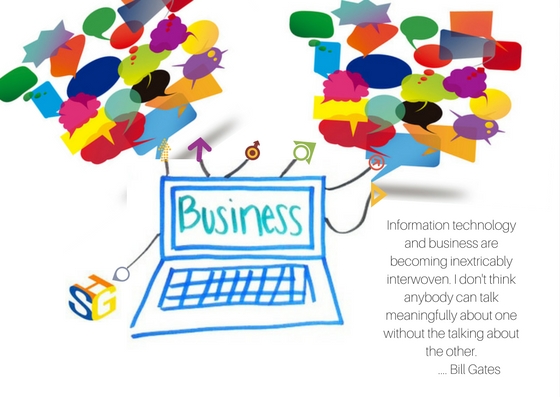
Information Technology (IT) tools are here to support your business in the global market. Effective communication is key for IT and business experts to collaborate effectively in search of solutions. Consulting, reaching out for help to a third-party, can bridge the gap between your business marketing experts and IT operations experts, especially with the emergence of big data analytics and its implication on the global market. Having the right consultants equipped with business knowledge and data technology expertise can make a difference.
Your marketing organization is probably familiar with digital tools and conducting global research. Its results can uncover the journey customers take to purchase your products or use your services. It can highlight the pain points and frictions that prevent their experiences with you to be delightful and amazing. Armed with this knowledge and beautiful compelling presentations, marketing executives expect that IT operations leaders will translate these insights into actions.
But people in IT operations are too involved in meeting key performance indicators that have nothing to do with the end customers. Meeting requirements of faster and cheaper don't translate very well into customer satisfaction. A classic breakdown in communication is described in a Harvard Business Review article, “A Technique to Bridge the Gap Between Marketing and IT.” The author goes on to describe how a new CIO at a bank found IT to be focused on the internal organization as their customers, rather than the real end customer. Moreover, no one was looking at the incident reports which clearly showed that incidents were increasing. And nobody looked at what these incidents were doing to the bank’s customers. The startling and scary numbers of incidents were caught and addressed and brought down from 1,000 to 600 or (40%) and later to 450 per week.
Surprisingly, these type of seemingly isolated scenarios are still being discovered within organizations presently, sometimes internally, and through third party insights such as consultants. By engaging consultants to provide a perspective based on what they’ve experienced before, they can often bring new and innovative ideas or possible challenges to the table that an internal processes probably wouldn’t have been able to see on their own. Often, third party input can help to provide the translation needed to go from marketing research results into actions that IT operations can understand and make sense in their high-performance culture. When companies understand and use this knowledge to reassess how to improve their customer experiences, they work backward from what customers want to achieve significantly higher improvements.
IT and business management are more and more being asked to move away from their traditional roles, such as IT being the "technology infrastructure gatekeeper", and instead become enablers across the enterprise of effective collaboration, big data consumers, and key players in driving desired business outcomes. Marketing leaders look to technology as a way to facilitate the customer's journey and his positive experience of it, bring more clients, and meet increasingly higher loyalty goals. They rely on IT projects to enable big data-based behavioral targeting anywhere in the global market. This means projects to analyze search engine results, improve website personalization and optimization, and building of mobile applications for a more personal experience. All these are projects that consultants with their communication, consulting and technical expertise are well prepared to help in order to bridge the expectation gap between IT and other business organizations.
In order to meet these 21st-century business challenges, Information Technology organizations have been transitioning from waterfall stage-gate project management approaches to agile development. The stage-gate method applies a step-by-step approach where waiting, reviewing and approving are required before moving to the next step in the project. Agile management emphasizes collaboration, no decision hierarchies, and few people roles for making quick, customer-focused small changes over time to deliver solutions that delight and amaze customers. Agile development has allowed many businesses to respond quickly to changing customer desires and expectations. But moving to continuous delivery is a struggle requiring focused, dedicated teams that are not well suited to the traditional matrix organization where people are resources whose time must be "chopped" into many pieces and shared among many projects. Agile teams meet frequently as often as daily but never waiting more than a week to do so.
Marketing people are externally focused. IT people are internally focused. The first works with customer emotions. The second works to increase efficiency. Big data analytic tools are used by the first and supported by the second. Consultants can be the glue that helps both come together in effective collaborations that deliver positive business outcomes in both global and local markets.
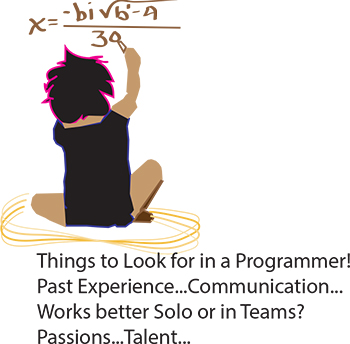 It’s the eternal conundrum of a hiring manager – you have to hire for every single position in the company without any first-hand experience. How to do it? If you can have a trusted programmer sit in on the interview, that’s ideal, of course. But what if you’re hiring your first programmer? Or what if you’re hiring a freelancer? Or what if company policy dictates that you’re the only person allowed to do the interviewing? Well, in that case, you need some helpful advice and your innate bullshit detector. We questioned programmers and hiring managers and compiled a list of dos and don’ts. Here are some things to ask when interviewing programmers:
Past Experience
Ask the programmer about the biggest disaster of his career so far, and how he handled it. Did he come in at midnight to fix the code? Was he unaware of the problem until someone brought it up? Did someone else handle it? According to our programmer sources, “Anyone worth their salt has caused a major meltdown. If they say they haven’t, they’re lying. Or very, very green.” Pushing a code with bugs in it isn’t necessarily bad. Not handling it well is bad.
As usual, your biggest asset is not knowing the field, it is knowing people. Asking about career disasters can be uncomfortable, but if the interviewee is experienced and honest then she won’t have a problem telling you about it, and you will get an idea of how she handles mishaps. Even if you don’t understand what the disaster was or how it was fixed, you should be able to tell how honest she’s being and how she handles being put on the spot.
 When it comes to running a start up, leaders need to make sure that their key players are motivated. This has been seen with many companies. Back in the 1970's it was found with the inspiration and diligence of the late Daniel Nigro when he formed Kleer-Fax. More recently it was seen in David Khasidy, the founder and recently retired president of SunRay Power Management, the most dynamic green energy leader in the US today.
The question is, what is it that great leaders like David Khasidy and Daniel Nigro do that make the difference? How do the most vulnerable companies (start ups) break the mold and become a part of our everyday lives?
It starts with their mission and vision.
Create a Strong Mission and Vision
There are many reasons why start ups fail. For one, they usually lack the capital to last through the lean times. Secondly, they often don't have the tolerance for setbacks that occur. Lastly, they do not have a long-term plan, also called a mission.
When a business has a strong mission, the team knows it and their focus toward their work and service to others within and without the company reflects that. To complement that, the shorter term vision of the company needs to be present as well.
This can even be seen in sole proprietorships with no employees, such as when Brian Pascale started his law practice. His vision was to find justice for his clients while his mission was to build upon a career that had already set precedents in the area of tort law.
As his practice has grown, new staff members can sense the vision and mission he exudes.
Encourage Ownership of Projects and Processes
Start ups need to inspire and motivate their employees because they need to know that they are not only a part of something important, but that their contributions mean something.
What won't happen if they are not there? What contribution do they make, and what are the consequences of them not fulfilling their part of the work?
By encouraging ownership in projects, team members can find that the work they are doing is not only important for the organization, but that they are going to be a big part of what makes it happen. The alternative is that they feel replaceable.
Offer Incentives That Keep the Company Competitive
When team members embrace the mission and vision of the company, and then take ownership for the company's success, they are going to need to be justly rewarded.
This could include flexible schedules (for those who don't need a stringent one), use of an account at a nearby takeout place, or even the potential for ownership as a result of a vesting program.
The incentive everyone is looking for more immediately, though, is cash. When the company takes in more revenue as a result of the efforts of those on the team, rewarding them can go a long way not only in making them feel appreciated, but in encouraging them to bring in more business.
Members of a start up team are usually very talented, and commonly underpaid. However, if they believe they are going somewhere, it will make a big difference.
Related:
Good non-programmer jobs for people with software developer experience
A business rule is the basic unit of rule processing in a Business Rule Management System (BRMS) and, as such, requires a fundamental understanding. Rules consist of a set of actions and a set of conditions whereby actions are the consequences of each condition statement being satisfied or true. With rare exception, conditions test the property values of objects taken from an object model which itself is gleaned from a Data Dictionary and UML diagrams. See my article on Data Dictionaries for a better understanding on this subject matter.
A simple rule takes the form:
if condition(s)
then actions.
An alternative form includes an else statement where alternate actions are executed in the event that the conditions in the if statement are not satisfied:
if condition(s)
then actions
else alternate_actions
It is not considered a best prectice to write rules via nested if-then-else statements as they tend to be difficult to understand, hard to maintain and even harder to extend as the depth of these statements increases; in other words, adding if statements within a then clause makes it especially hard to determine which if statement was executed when looking at a bucket of rules. Moreoever, how can we determine whether the if or the else statement was satisfied without having to read the rule itself. Rules such as these are often organized into simple rule statements and provided with a name so that when reviewing rule execution logs one can determine which rule fired and not worry about whether the if or else statement was satisfied. Another limitation of this type of rule processing is that it does not take full advantage of rule inferencing and may have a negative performance impact on the Rete engine execution. Take a class with HSG and find out why.
Rule Conditions
Tech Life in Iowa
training details locations, tags and why hsg
The Hartmann Software Group understands these issues and addresses them and others during any training engagement. Although no IT educational institution can guarantee career or application development success, HSG can get you closer to your goals at a far faster rate than self paced learning and, arguably, than the competition. Here are the reasons why we are so successful at teaching:
- Learn from the experts.
- We have provided software development and other IT related training to many major corporations in Iowa since 2002.
- Our educators have years of consulting and training experience; moreover, we require each trainer to have cross-discipline expertise i.e. be Java and .NET experts so that you get a broad understanding of how industry wide experts work and think.
- Discover tips and tricks about C++ programming
- Get your questions answered by easy to follow, organized C++ experts
- Get up to speed with vital C++ programming tools
- Save on travel expenses by learning right from your desk or home office. Enroll in an online instructor led class. Nearly all of our classes are offered in this way.
- Prepare to hit the ground running for a new job or a new position
- See the big picture and have the instructor fill in the gaps
- We teach with sophisticated learning tools and provide excellent supporting course material
- Books and course material are provided in advance
- Get a book of your choice from the HSG Store as a gift from us when you register for a class
- Gain a lot of practical skills in a short amount of time
- We teach what we know…software
- We care…